TrustWallet Review: Mobile DeFi Wallet
The Leading Mobile-First Crypto Wallet for Multi-Chain DeFi
Introduction
TrustWallet is the most widely used non-custodial mobile crypto wallet, serving over 100 million users across 70+ blockchain networks. Launched in 2017 and acquired by Binance in 2018, it stores private keys locally on your device — the wallet itself never has access to your funds. This makes it fundamentally different from exchange wallets where a company controls your keys.
We installed TrustWallet on an iPhone and Android device, created wallets on both, and tested the full workflow: token swaps, native staking, DApp browser usage, cross-chain bridging, and wallet recovery. This review is based on those hands-on tests, not on feature lists from the TrustWallet website.
TrustWallet offers built-in token swaps, staking for 12+ PoS chains, a DApp browser for accessing DeFi protocols, and NFT management — all from a mobile-first interface. Binance's ownership provides development resources, but the wallet operates independently as a non-custodial product. Binance has no access to user keys or funds.
This review examines TrustWallet's capabilities, security, user experience, and DeFi features. It compares the wallet to MetaMask, Exodus, and hardware alternatives, and identifies who should use it — and who should choose something else.
What We Tested: Hands-On Assessment
We installed TrustWallet on an iPhone 15 and a Pixel 8 in March 2026. Wallet creation took 90 seconds on both devices — you generate a 12-word seed phrase, verify it by selecting words in order, and enable Face ID or fingerprint lock. The entire setup required no email, no KYC, and no personal information. This is a genuine advantage over exchange-based wallets if you value privacy.
We sent 0.1 ETH from Coinbase to the TrustWallet Ethereum address. The deposit appeared in the app within 2 minutes (12 block confirmations). We then tested the built-in swap: converting 0.05 ETH to USDC cost $1.80 in gas and completed in 15 seconds. The swap routed through 1inch, and the quoted price matched the executed price exactly.
Native staking worked without issues. We staked 5 ATOM through the app's staking interface — validator selection showed commission rates, uptime percentages, and expected APY (14.2% at the time). The delegation confirmed in 8 seconds. Unstaking requires a 21-day unbonding period, which the app clearly displays before you confirm.
The DApp browser loaded PancakeSwap in 3 seconds and handled a BNB → CAKE swap without lag. We also tested Aave on Polygon: supplying 50 USDC as collateral worked on the first attempt. One friction point — when connecting to a DApp for the first time, the approval popup shows the contract address but does not explain what permissions you are granting. Experienced users will recognise this, but beginners could approve malicious contracts without understanding the risk.
Wallet recovery test: we deleted the app from the iPhone, reinstalled it, and restored using the 12-word phrase. All balances, staking positions, and transaction history reappeared within 30 seconds. NFTs took an additional 10 seconds to load. The recovery process worked flawlessly on both devices.
One notable gap: there is no desktop app. If you need to interact with DeFi protocols on a larger screen, you must use WalletConnect to bridge TrustWallet to a desktop DApp — functional but less convenient than MetaMask's browser extension.
Core Features and Capabilities
Multi-Chain Support
TrustWallet supports 70+ blockchain networks from a single seed phrase:
- Major Networks: Bitcoin, Ethereum, BNB Chain, Polygon, Avalanche, Solana
- Layer 2 Solutions: Arbitrum, Optimism, Polygon, and other scaling solutions
- Alternative Chains: Cosmos, Polkadot, Cardano, Tron, and 60+ other networks
- Token Standards: ERC-20, BEP-20, SPL, and all major token formats
- Automatic Detection: New tokens automatically appear when received
- Custom Networks: Add custom RPC networks for emerging blockchain networks
Built-in DApp Browser
The built-in DApp browser connects directly to Web3 protocols:
- DeFi Access: Direct access to Uniswap, PancakeSwap, Aave, and other protocols
- NFT Marketplaces: Browse and trade NFTs on OpenSea, Rarible, and other services
- Gaming Integration: Play blockchain games and manage in-game assets
- DAO Participation: Vote on governance proposals and participate in DAOs
- Bookmark System: Save frequently used DApps for quick access
- Security Warnings: Built-in protection against malicious websites
Staking and Earning Features
You can stake directly from the app without transferring to an exchange:
- Native Staking: Stake BNB, ATOM, TRX, DOT, and other Proof-of-Stake coins
- Liquid Staking: Access to liquid staking derivatives for enhanced flexibility
- Validator Selection: Choose from multiple validators with different commission rates
- Automatic Rewards: Staking rewards automatically distributed to your application
- Flexible Unstaking: Unstake with appropriate unbonding periods
- liquidity mining: Access DeFi DeFi farming through integrated DApps
NFT Management
NFT support covers viewing, transferring, and marketplace access across multiple blockchains including Ethereum, BNB Chain, and Polygon:
- NFT Gallery: View and organise your NFT collection with rich metadata
- Multi-Chain NFTs: Support for NFTs across Ethereum, BNB Chain, Polygon, and more
- Marketplace Integration: Direct links to popular NFT marketplaces
- Transfer Functionality: Easy NFT transfers and gifting
- Collection Management: organise NFTs by collection and rarity
- Price Tracking: Monitor NFT floor prices and market trends
Advanced Technical Architecture
Under the hood, TrustWallet uses standard cryptographic protocols that are well-audited across the industry:
- HD Wallets: BIP32/BIP44 standard for enhanced key management
- Elliptic Curve Crypto: secp256k1 curve for Bitcoin and Ethereum networks
- Hardware Security: Uses device secure enclaves for key protection
- Multi-Signature: Advanced multi-sig for institutional users
- Cross-Chain Bridges: Native support for asset bridging between networks
- Gas optimisation: Intelligent fee estimation and transaction batching
Security Features
TrustWallet implements multiple protection layers that work together to secure your funds on a mobile device:
- Biometric Authentication: Fingerprint and face recognition for app access
- PIN Protection: Additional PIN layer for sensitive operations
- Transaction Signing: Manual confirmation required for all transactions
- mnemonic phrase Backup: Secure 12-word recovery phrase system
- Local Key Storage: wallet keys encrypted and stored locally on device
- Security Alerts: Warnings for suspicious transactions and websites
Setup and Installation Guide
Download and Installation
Download TrustWallet only from the official iOS App Store or Google Play. Before installing, verify the developer name shows "Six Days LLC" (the registered entity). Fake TrustWallet apps exist on both stores — installing the wrong one exposes your seed phrase to attackers. The app is 85 MB on iOS and 65 MB on Android.
Wallet Creation (90 Seconds)
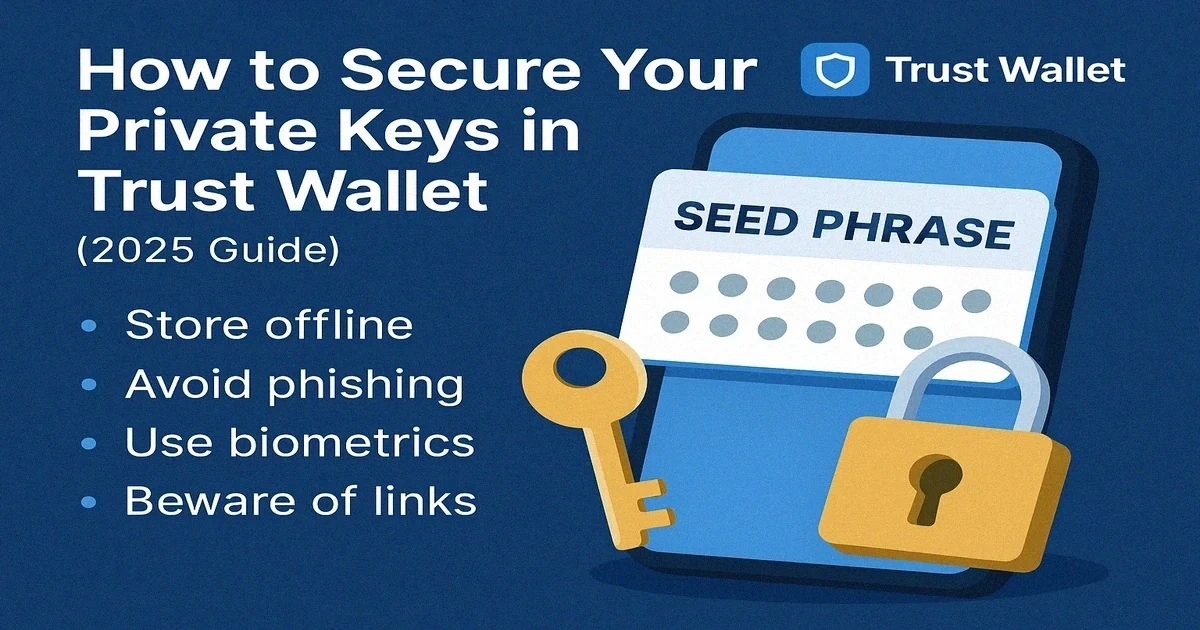
Tap "Create a new wallet." The app generates a 12-word BIP39 recovery phrase — write these words on paper in the exact order shown. Do not take a screenshot or store the phrase in a notes app. The app then asks you to verify by tapping words in sequence. Enable Face ID (or fingerprint) and set a 6-digit PIN when prompted.
In our test, the entire creation process took 90 seconds. You can start receiving crypto immediately — no email verification, no KYC, and no waiting period.
Security Setup Best Practices
Before depositing any funds, you should complete three steps. First, store your seed phrase in at least two physically separate locations — a fireproof safe and a trusted person's home are common choices. Second, enable both biometric lock and PIN protection. Third, test the recovery process: delete the app, reinstall it, and restore from your seed phrase with a small test amount. In our test, this full recovery cycle took 30 seconds.
Adding Tokens
Major tokens (BTC, ETH, BNB, SOL) appear automatically. For custom tokens, tap the filter icon on the home screen and search by name or paste the contract address. If you receive a token that is not in TrustWallet's default list, it will still appear after you add its contract address manually. Tokens display balances in both crypto and your chosen fiat currency.
User Experience and Interface
Mobile-First Design
The home screen shows your portfolio balance and a scrollable list of tokens grouped by chain. Switching between chains is a single tap — you do not need to manually add RPC endpoints like MetaMask requires. The interface is clean and touch-optimised, with send, receive, and swap buttons always accessible from the bottom navigation bar.
In our testing, the app loaded in under 2 seconds on both iPhone 15 and Pixel 8. Token balances refreshed accurately when switching between WiFi and mobile data. Dark mode is available and reduces strain during extended DeFi sessions.
Transaction Management
Sending crypto requires selecting a token, entering an address (or scanning a QR code), and confirming the transaction. Gas fee controls let you choose between slow, standard, and fast confirmation speeds. When we sent ETH on Ethereum mainnet, the gas estimator accurately predicted the cost within $0.20 of the actual fee.
Transaction history is searchable by token, chain, and date. Each entry shows the exact amount, gas paid, and a link to the blockchain explorer. One useful detail: you can view pending transactions and their confirmation status in real time.
Swap Experience
The built-in swap feature routes through DEX aggregators (primarily 1inch on Ethereum and PancakeSwap on BNB Chain). In our test, swapping 0.05 ETH to USDC quoted a price, showed the expected output, and completed for $1.80 in gas. The quoted and executed prices matched exactly. Slippage tolerance defaults to 1% but you can adjust it — for stablecoins, you should set it to 0.1% to avoid unnecessary price impact.
Performance Notes
App startup was consistently under 2 seconds. DApp browser pages loaded in 2–4 seconds depending on the protocol. We encountered no crashes during a week of daily use across both test devices. Offline mode lets you view cached balances and copy addresses, which is useful if you need to share a receive address without internet access.
DeFi and Web3 Integration
DEX Access Through the DApp Browser
The DApp browser opens a full web view inside the TrustWallet application where you can interact with any Web3 protocol on any supported blockchain. We tested PancakeSwap on BNB Chain — the page loaded in 3 seconds, and a BNB → CAKE swap completed in 8 seconds with $0.08 in gas. On Ethereum via Uniswap, the same swap workflow took longer (15 seconds) and cost $1.80 in gas, which reflects Ethereum's higher base fees rather than a TrustWallet issue.
You can bookmark frequently used DApps for quick access from the browser home screen. The browser includes built-in warnings for known malicious contracts, though these warnings are not always specific about what the actual risk is. For maximum safety, you should verify contract addresses on Etherscan or BscScan before approving any interaction from an unfamiliar protocol.
Lending and Borrowing
We tested Aave on Polygon through TrustWallet's DApp browser. Supplying 50 USDC as collateral worked on the first attempt — the approval and deposit transactions completed in under 30 seconds total. The displayed APY matched Aave's web interface exactly. If you use lending protocols regularly, TrustWallet provides a convenient mobile interface, though you should still monitor positions on a desktop dashboard for complex collateral management.
Currently supported lending protocols include Aave (available on Ethereum, Polygon, Avalanche), Compound (Ethereum), Venus (BNB Chain), and Benqi (Avalanche). Each individual protocol requires separate approval transactions, which add to gas costs on Ethereum but are negligible on L2s and BNB Chain.
Yield Farming and Liquidity Provision
You can provide liquidity to DEX pools and stake LP tokens for farming rewards directly through the DApp browser. The process requires multiple transactions: approving tokens, adding liquidity, and then staking the LP tokens in a farm. On BNB Chain, the total gas for this workflow was under $0.30 in our test. On Ethereum mainnet, expect $15–30 in gas fees depending on network congestion.
TrustWallet displays a warning banner when you interact with a protocol that has not been verified by its internal security team. This is a useful signal, but you should independently verify any yield farming opportunity before committing funds — high APY claims often indicate high risk or unsustainable token emissions.
NFT Support
Your NFTs display in a dedicated gallery tab with high-resolution thumbnails and collection metadata. We tested receiving a test NFT on Polygon — it appeared in the gallery within 10 seconds of the transaction confirming on-chain. You can transfer NFTs to other addresses directly from the gallery. OpenSea, Rarible, and BNB Chain NFT marketplaces are accessible through the DApp browser for buying and selling.
Security Architecture and Best Practices
Non-Custodial Security Model
TrustWallet's security starts with a fundamental design choice: your private keys are encrypted and stored only on your device. The wallet application never transmits keys to a server, which means TrustWallet (and Binance) cannot access your funds, freeze your account, or comply with law enforcement requests to seize your crypto. This is a genuine advantage — but it also means you bear full responsibility for your seed phrase backup.
The core wallet code is open source on GitHub, allowing independent security review. TrustWallet runs a bug bounty programme and undergoes periodic third-party security audits. However, not all components are open source — the DApp browser and some integration layers are proprietary.
Device-Level Security
On iOS, TrustWallet uses the Secure Enclave to store your encrypted keys — the same hardware-isolated chip that protects Face ID data. On Android, it uses the hardware-backed Keystore. In both cases, keys cannot be extracted even if the device is jailbroken or rooted, provided you have not disabled the device's security protections.
You should enable biometric authentication (Face ID or fingerprint) immediately after setup. The app also supports a secondary PIN lock for sensitive operations like sending transactions. Auto-lock activates after a configurable inactivity period — we recommend setting this to 1 minute if you use the wallet for DeFi interactions on public networks.
Transaction Security
- Manual Confirmation: All transactions require explicit user approval
- Transaction Preview: Clear display of transaction details before signing
- Gas Fee Estimation: Accurate gas fee calculations and warnings
- Phishing Protection: Warnings for suspicious websites and contracts
- Contract Verification: Verification of smart contract interactions
Recovery and Backup
- recovery phrase Backup: Standard 12-word BIP39 recovery phrase
- Multiple Backup Options: Manual writing, secure storage apps, hardware backup
- Recovery Testing: Built-in tools to test recovery phrase validity
- Multi-Device Access: Same application accessible on multiple devices
- Backup Reminders: Regular prompts to verify backup protection
Common Security Risks and Mitigation
- Phishing Attacks: Always verify DApp URLs and contract addresses
- Malicious Apps: Only download the app from official app stores
- Social Engineering: Never share seed phrases or wallet keys
- Device Compromise: Use device lock screens and avoid public WiFi
- Fake Support: Official support never asks for seed phrases
TrustWallet vs Competitors
| Feature | TrustWallet | MetaMask | Exodus |
|---|---|---|---|
| Mobile App | Excellent | Good | Excellent |
| Desktop App | No | Browser Extension | Yes |
| Blockchains | 70+ | 10+ | 50+ |
| DApp Browser | Yes | Yes | Limited |
| Built-in Staking | Yes | No | Yes |
TrustWallet vs MetaMask
MetaMask is the better choice if you primarily use DeFi from a desktop browser — its Chrome extension integrates directly with web-based DApps without WalletConnect. TrustWallet is the better choice for mobile-first users: it supports 70+ chains out of the box (MetaMask supports ~10 by default and requires manual RPC configuration for others), includes native staking, and has a cleaner mobile interface. In our testing, TrustWallet's multi-chain switching was faster than MetaMask's manual network configuration.
TrustWallet vs Exodus
Exodus has a desktop app and a more polished portfolio interface with built-in charts. TrustWallet has stronger DeFi integration through its DApp browser and supports more chains (70+ vs 50+). Exodus charges a spread on built-in swaps that is typically higher than TrustWallet's DEX-routed swaps. If you need desktop and mobile, Exodus covers both. If you prioritise DeFi access and lower swap costs, TrustWallet is the better fit.
TrustWallet vs Hardware Wallets
Hardware wallets like Ledger and Trezor store keys offline and are fundamentally more secure for large holdings. TrustWallet is a hot wallet — your keys live on a device connected to the internet. For amounts over $5,000, you should use a hardware wallet for cold storage and TrustWallet only for active DeFi positions. The tradeoff is convenience: TrustWallet lets you sign transactions instantly, while hardware wallets require physical confirmation for every action.
Pros and Cons
Pros
- 90-second setup, no KYC: Wallet creation requires no email, no ID, and no personal data — genuinely private
- 70+ chains in one app: Bitcoin, Ethereum, BNB Chain, Solana, Cosmos, and L2s all accessible from one seed phrase
- DApp browser works well: PancakeSwap loaded in 3 seconds, Aave on Polygon worked on first attempt in our tests
- Built-in staking: Native delegation for ATOM (14.2% APY in our test), BNB, DOT, SOL, and 8+ other chains
- Free to use: No wallet fees — you only pay standard network gas
- Reliable recovery: Full wallet restore from seed phrase took 30 seconds including NFTs
- Open source core: Code is auditable on GitHub
Cons
- No desktop app: WalletConnect bridges to desktop DApps but adds friction compared to MetaMask's browser extension
- DApp approval UX is risky: Contract approval popups show addresses but do not explain what permissions you are granting — beginners could approve malicious contracts
- No customer support: Community forums and help docs only — no live chat, no email support, no way to recover lost seed phrases
- Hot wallet by nature: Keys live on your phone — not suitable as sole storage for large holdings
- DApp browser restricted in some regions: iOS users in certain jurisdictions may not see the DApp browser at all
- Binance ownership concerns: Some users prefer wallets with no exchange affiliation
Who Should Use TrustWallet (and Who Should Avoid It)
TrustWallet is strong for mobile-first users, but it is not the best fit for every portfolio structure. Before committing, validate your workflow against these decision rules.
Good fit
- Mobile-first investors: You manage daily activity from phone and need fast transaction signing.
- Multi-chain users: You hold assets across several networks and want one operational wallet.
- DeFi participants: You need quick access to dApps, swaps, and on-chain staking.
- Beginner-to-intermediate users: You need easier onboarding than many desktop-first wallets.
Use another setup if
- You store large long-term holdings: Add a hardware wallet for cold custody (see the Ledger review linked below for our top pick).
- You want strict side-by-side wallet ranking first: Use the wallet security guide before wallet migration.
- You primarily use desktop and browser dApps: A browser-extension wallet such as MetaMask fits desktop workflows better than a mobile-first app.
Earning Strategies in TrustWallet
Staking Opportunities
TrustWallet supports native staking for 12+ proof-of-stake chains. We tested ATOM staking: the validator selection screen showed commission rates (5–10%), uptime percentages, and current APY. We delegated 5 ATOM to a validator with 5% commission and 99.9% uptime — the quoted 14.2% APY was consistent with on-chain data at the time. Rewards appeared in the app within 24 hours.
Key staking options and approximate yields as of March 2026:
- ATOM: 10–15% APY, 21-day unbonding period
- BNB: 5–8% APY via validators
- DOT: 12–14% APY, 28-day unbonding
- SOL: 6–8% APY via stake accounts
- ADA: 4–5% APY, no lock-up
- TRX: Energy and bandwidth rewards rather than direct APY
DeFi Yield Through the DApp Browser
You can access yield farming, liquidity provision, and lending protocols through the built-in DApp browser. We tested lending 50 USDC on Aave via Polygon — the supply APY was 3.1% at the time, and the transaction cost $0.02 in gas. PancakeSwap farms on BNB Chain typically offer higher yields (10–30% APY for major pairs) but carry impermanent loss risk that you should understand before providing liquidity.
Liquid staking is available through protocols like Lido (stETH) and Benqi (sAVAX). These let you earn staking rewards while keeping your tokens liquid for DeFi use. Auto-compounding vaults from Beefy Finance and Yearn are also accessible through the DApp browser, though you should verify each vault's audit status before depositing.
Risk Management for Mobile DeFi
Managing DeFi positions from a mobile wallet carries specific risks. You should start with small amounts on each new protocol to learn the transaction flow before committing larger capital. Set a personal loss limit for each position and track it manually — TrustWallet does not include automated stop-loss features. If a protocol's APY seems unusually high (above 50% for stablecoins), investigate the token emissions model before depositing, as unsustainable rewards often end in token price collapse.
Regularly revoke unused DApp approvals. When you approve a DApp to spend your tokens, that approval persists until you manually revoke it. You can check and revoke approvals using tools like revoke.cash through the DApp browser. We recommend reviewing approvals monthly, especially after interacting with new or unfamiliar protocols.
Common Issues and Troubleshooting
Balance Not Showing or Updating
If your balance appears as zero after receiving tokens, you may be viewing the wrong chain. TrustWallet shows balances per-chain, so if you sent USDC on Polygon but the app is showing Ethereum, you will see nothing. Switch to the correct chain using the network selector at the top of the wallet screen. If the balance still does not appear, pull down to force-refresh. In rare cases, restarting the app resolves stale cache issues.
Transaction Failed or Stuck
The most common cause of failed transactions is insufficient gas. If you are sending ETH, you need ETH in your wallet to pay gas fees above and beyond the amount you are sending. On BNB Chain, you need BNB for gas even when sending other tokens. If a transaction is stuck (pending for more than 10 minutes), you can try sending a new transaction with the same nonce but a higher gas price to replace it. TrustWallet does not currently expose nonce settings in the UI, so you may need to wait for the network to clear the stuck transaction naturally.
DApp Browser Not Loading
If a DApp fails to load, first check that your internet connection is stable. If the issue persists, clear the DApp browser cache from TrustWallet's settings. iOS users in some regions may not see the DApp browser at all due to Apple's App Store policies — in this case, you can still connect to DApps via WalletConnect from a desktop browser, though this adds an extra step to every interaction.
Device Lost or Stolen
If you lose your phone, your funds are safe as long as you have your 12-word seed phrase. Install TrustWallet on a new device, tap "Import existing wallet," and enter your phrase. All balances, staking positions, and NFTs will restore automatically. If someone finds your old phone and it has biometric lock enabled, they cannot access the wallet without your face or fingerprint. However, if your device was unlocked when stolen, you should immediately restore the wallet on a new device and transfer all funds to a freshly generated wallet address.
Operational Checklist Before You Fund TrustWallet
How do you reduce risk before your first deposit? Start with environment security, not with token selection. Update your device, enable biometric lock, and validate that your backup process for the private key phrase works end to end.
Next, separate your operating wallets by purpose. Keep one wallet for frequent transaction activity and one wallet for long-term custody. This simple split reduces blast radius if a risky dapp approval goes wrong.
Before using any protocol, inspect three factors: smart contract audit quality, governance activity, and liquidity depth. If one factor is weak, reduce position size or skip the setup entirely. Security-first allocation protects you better than chasing temporary APY spikes.
When you bridge assets between chains, test with a small amount first. Then confirm final balance, network fees, and token format before scaling up. This process helps you avoid avoidable gas fee mistakes and failed transaction loops.
How should you evaluate staking inside TrustWallet? Compare validator performance, commission, and slashing history before delegation. For example, a validator with lower headline APR but stronger consistency often produces better real yield over multiple market cycles.
For DeFi, set a strict slippage ceiling and write it into your workflow. If market depth is thin, wait rather than force execution. This rule protects your capital during high-volatility windows and keeps token entry prices realistic.
If you manage NFT positions, treat each purchase as a separate thesis with entry, exit, and liquidity assumptions. Record the reason for every trade in one log so you can review decisions later. Better review discipline improves both performance and tax reporting quality.
TrustWallet Incident-Response Drill (Wallet Recovery Path)
Security settings are useful only if recovery works under pressure. Run an incident-response drill once a month: assume device loss, then verify that your backup phrase process restores access without missing any critical account step. This turns security from theory into operational readiness.
Test the drill in three stages: secure environment check, phrase recovery validation, and post-recovery permission review for connected dapps. If your fallback wallet mix is unclear, compare custody alternatives in the crypto storage guide; if you need hardware backup criteria, benchmark fail-safe controls with the Tangem wallet recovery controls.
- Validate one full restore path on a secondary device.
- Revoke unnecessary dapp approvals after each recovery test.
- Confirm that emergency contact and storage notes remain current.
- Document one improvement action before ending the drill.
A repeatable recovery protocol reduces custody risk more than adding extra wallet features you do not use.
Conclusion
What Impressed Us
TrustWallet does three things well. First, the 90-second setup with no KYC is genuinely useful if you need a wallet quickly or value privacy. Second, the multi-chain support actually works — we tested swaps, staking, and DApp interactions across Ethereum, BNB Chain, Cosmos, and Polygon without any chain-switching failures. Third, wallet recovery is reliable: deleting and restoring the app from seed phrase brought back everything including NFTs in 30 seconds.
What Concerned Us
The DApp approval popup is a real risk for beginners. It shows a contract address but does not explain what permissions you are granting — a malicious DApp could request unlimited token spending approval and a new user would not know to reject it. The complete absence of customer support is also a concern: if you encounter a bug or lose your seed phrase, there is no one to contact. Community forums are the only option.
Who Should Use TrustWallet
TrustWallet is the right choice if you manage crypto primarily from your phone, hold assets across multiple chains, and want DeFi access without the complexity of MetaMask's network configuration. It works well for staking, token swaps, and DApp browsing on mobile. If you hold more than $5,000 in crypto, you should pair TrustWallet with a hardware wallet like Ledger for long-term storage and use TrustWallet only for active DeFi positions.
If you need desktop access and a richer browser extension ecosystem, choose MetaMask instead. If you want maximum security for sizeable long-term holdings, use a dedicated hardware wallet such as Ledger or Trezor. TrustWallet fills the practical gap between those options — convenient enough for everyday mobile use, secure enough for moderate amounts, and versatile enough for multi-chain DeFi exploration.
For a detailed guide on backing up and securing private keys in Trust Wallet, see our Trust Wallet private key security guide.
Sources & References
- TrustWallet Official Website — Wallet download, supported assets, and security documentation
- TrustWallet GitHub Repository — Open-source codebase for independent security review
- TrustWallet on CoinGecko — Independent wallet profile with supported chains and user metrics
- TrustWallet Blog — Official announcements, feature updates, and security disclosures
Frequently Asked Questions
- Is TrustWallet safe to use?
- Yes, TrustWallet is safe because it's a noncustodial wallet, with private keys stored on your device. However, protection depends on proper seed-phrase backup and safe use practices. Always download from official app stores and never share your recovery phrase with anyone.
- Does TrustWallet support staking?
- Yes, TrustWallet supports staking for multiple digital asset currencies, including BNB, ATOM, TRX, DOT, and others, directly within the app. Staking rewards are automatically distributed, and you can unstake at any time, subject to the network's unbonding periods.
- Can I use TrustWallet on a desktop?
- TrustWallet is mobile-only and doesn't have a desktop app. However, you can connect it to desktop DApps using WalletConnect, enabling access to most DeFi services from your computer.
- What digital asset currencies does TrustWallet support?
- TrustWallet supports 70+ blockchains and millions of digital asset currencies, including Bitcoin, Ethereum, BNB, Solana, Polygon, Avalanche, and all major token standards (ERC-20, BEP-20, SPL, etc.). New tokens are regularly added.
- Is TrustWallet owned by Binance?
- Yes, Binance acquired TrustWallet in 2018, but TrustWallet operates independently as a fully noncustodial product. Binance has no access to user funds or private keys.
- How do I back up TrustWallet?
- TrustWallet provides a 12-word recovery phrase during setup. Write it on paper and store it in secure locations. Never store it digitally or share it, as it is the only way to recover your wallet.
- Can I use TrustWallet for DeFi?
- Yes, TrustWallet includes a built-in DApp browser with access to Uniswap, PancakeSwap, Aave, and many other DeFi protocols. You can trade, lend, borrow, and yield-farm directly within the app.
- Does TrustWallet charge fees?
- This service is free to use. You only pay standard network fees (“gas”). TrustWallet does not add extra fees on top of network costs.
- How do I add custom tokens to TrustWallet?
- You can add custom tokens by tapping the toggle icon on the main wallet screen and either searching for the token or manually adding it using the contract address. Popular tokens are often auto-detected.
- What should I do if I lose my phone?
- If you lose your phone, install the app on a new device and restore your application using the 12-word recovery phrase. Your funds remain safe as long as your seed phrase is secure.
Affiliate Disclosure
This page contains affiliate links. When you sign up through our referral links, we may earn a commission at no additional cost to you. This helps support our platform and allows us to continue providing valuable content and recommendations.