Tangem Wallet Review: Card Guide
Tangem is a credit card-sized cold wallet that stores private keys on an EAL6+ certified chip — the same security standard used in passports and bank cards. It requires no battery, no cables, and no seed phrases. Transactions are signed by tapping the card against an NFC-enabled phone.
Get Tangem Wallet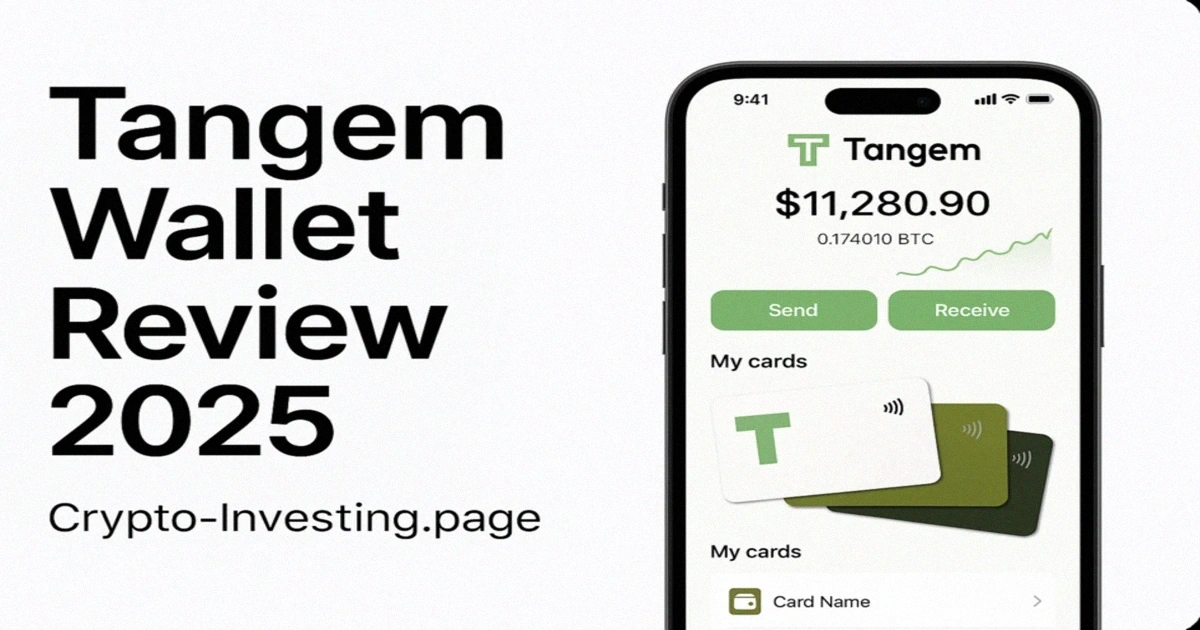
Introduction
Tangem is a credit card-sized hardware wallet that stores private keys on an EAL6+ certified NFC chip — with no seed phrase. Instead of writing down 24 words during setup, Tangem uses physical redundancy: up to three cards hold identical copies of your keys, and losing one card does not affect access from the others. The 3-card pack costs approximately £105, supports 6,000+ cryptocurrencies across 60+ blockchains, and requires no batteries, cables, or firmware updates. Setup takes under 10 minutes with zero technical knowledge.
This design addresses the single biggest cause of permanent fund loss in self-custody: seed phrase mismanagement. Every year, significant amounts of Bitcoin (secured by proof-of-work mining) and Ethereum (secured by proof-of-stake consensus) become permanently inaccessible because of a misplaced backup, a house fire, or water damage. Tangem eliminates this risk entirely by keeping private keys inside the tamper-resistant chip and using card duplication for backup instead of a written recovery phrase.
This review covers the Tangem Wallet in detail: how the security model works, what the setup and daily use experience looks like in practice, which assets and networks are supported, how the pricing compares to Ledger and Trezor across a realistic backup configuration, and who the device is and is not suited for. Whether you are evaluating your first hardware wallet or considering a switch from a seed-phrase-based device, the aim is to give you enough technical and practical detail to make an informed decision about whether Tangem belongs in your personal security setup.
What is Tangem?
Tangem is a credit card-sized hardware wallet built around NFC and a mobile app. Each card contains a secure element chip that generates and stores private keys in a fully offline environment. Those keys never leave the chip — not during setup, not during signing, not ever. The companion app (iOS and Android) handles transaction preparation, portfolio display, and DeFi connections. There is no desktop application; your phone is the only way to interact with the card.
How a transaction works
Open the Tangem app, prepare the transaction, then hold the card flat against the back of your phone when prompted. The chip signs the transaction internally and returns only the signed output. Each tap takes roughly 3–5 seconds on iPhones and 5–10 seconds on most Android devices — though some older Android phones with weaker NFC antennae may need 2–3 attempts to register. The card works through most phone cases up to about 3mm thick, but metal or magnetic cases block the signal entirely.
NFC reliability by phone model
NFC antenna placement varies significantly across manufacturers, and knowing where your antenna sits saves real frustration during signing.
- iPhone (12 and later): The NFC antenna runs around the entire top edge. Placing the Tangem card against the top third of the phone back — just below the camera module — registers on the first attempt in virtually every case. Cases up to 4mm thick pose no problem. Older iPhones (X, XS, XR) use a narrower antenna near the top edge only, so placement needs to be more precise, but reliability remains high.
- Samsung Galaxy (S20 and later): The antenna is centred on the rear panel, roughly behind the camera cluster. The card reads reliably when held flat anywhere in the upper half of the phone. Galaxy A-series models have the antenna slightly lower, around the middle of the back — if the S-series position produces no response, slide the card down 2–3cm. Samsung's NFC chip is amongst the fastest tested: signing completes in 3–4 seconds.
- Google Pixel (6 and later): Pixel devices have the NFC antenna in the upper-centre of the rear panel, behind the camera bar. Tangem reads without issue. Pixel 6a and 7a (mid-range) perform identically to the Pro models — no degraded antenna. Signing speed is comparable to Samsung at 3–5 seconds.
- Xiaomi (Redmi and POCO): These present the most variability. The antenna is often positioned at the very top-right corner of the back panel. On Redmi Note 11 and 12, users consistently report that positioning the card diagonally across the top-right quadrant — not flat against the centre — produces the most reliable reads. MIUI's background app management can also suspend the Tangem app mid-session; disabling battery optimisation for Tangem in MIUI settings resolves most intermittent failures.
- OnePlus: OxygenOS has an NFC power-saving mode that activates after the screen has been locked for more than 60 seconds. Waking the phone fully before initiating a tap avoids the resulting 5–10 second NFC startup delay. Antenna placement is mid-rear on most OnePlus models from the 9 series onward, and reads reliably once the OS has activated NFC fully.
- Huawei (EMUI / HarmonyOS, no Google Services): The Tangem app installs via the AppGallery. NFC hardware works correctly, but background restrictions under HarmonyOS are aggressive — add Tangem to the protected apps list in battery settings. Read speeds are slightly slower than Samsung or Apple at 6–8 seconds, but reliable once the app stays resident.
One practical tip that applies across all Android devices: ensure the Tangem app is in the foreground and the screen is fully on before initiating the tap. Background NFC reads work on some devices but not others, and requiring the app to be active eliminates the main source of "failed to connect" errors.
Backup approach
Instead of a seed phrase, Tangem uses a multi-card system. During initial setup, the primary card generates private keys on its secure element, then transfers encrypted copies to each backup card through a direct NFC session mediated by the app. After this one-time cloning, each card operates independently — any single card can sign transactions without the others present. The cloning cannot be repeated after setup, which prevents an attacker with temporary access from creating additional copies.
If you lose all your cards and have no backup remaining, your funds are permanently inaccessible. There is no recovery service, no master key, and no way to extract keys from a damaged card. This is the core trade-off of eliminating seed phrases: your physical cards are your only backup.
Security Analysis
EAL6+ certification
The secure element on Tangem cards carries EAL6+ (Common Criteria Evaluation Assurance Level 6+) certification. This is the same standard required for government identification documents, SIM cards, and banking payment chips. Independent laboratories test for resistance to side-channel attacks, fault injection, and physical tampering before granting certification — it is not self-declared.
For context: Ledger’s Nano X uses an ST33 chip at EAL5+. The step from EAL5+ to EAL6+ is not incremental — it requires formal mathematical modelling of security functions and evidence the design resists high-attack-potential adversaries (well-funded attackers with physical access and laboratory equipment). EAL5+ targets moderate-attack-potential adversaries only. If you are storing more than a few thousand dollars in cryptocurrency, this distinction matters.
Key generation and storage
Private keys are generated inside the secure element using a hardware random number generator. They are stored in a protected memory zone that cannot be read externally. Physical tampering triggers key destruction — the chip is designed to erase itself before yielding to a hardware attack. The key generation process occurs entirely within the chip during initial setup; at no point does key material transit to the phone, the app, or any external system.
This matters because software wallets and some hardware wallet setups expose key material during generation — for example, displaying a seed phrase on screen where clipboard malware or screen-recording software could capture it. With Tangem, there is no intermediate state where key material exists outside the chip.
NFC communication security
The NFC session between card and phone uses AES encryption with mutual authentication and replay-attack protection. Transaction data is verified inside the chip before signing. After each session, sensitive data is cleared from device memory. The phone sees only the signed transaction output, never the key material.
NFC operates at a maximum range of approximately 4 centimetres under typical conditions, which makes remote eavesdropping physically impractical without being in immediate proximity to the card and phone during the signing session. The session encryption ensures that even if an NFC signal were intercepted at close range, the captured data would yield no recoverable key material.
Before any data is exchanged, the card and phone verify each other through a cryptographic challenge-response protocol. The card confirms it is communicating with a legitimate Tangem app, and the app confirms a genuine Tangem card. Each session generates a unique key, so captured traffic cannot be replayed. This prevents relay attacks where an attacker might proxy the NFC session through a compromised device.
Attack surface analysis
Understanding the specific risks Tangem addresses — and those it does not — helps set realistic expectations:
- Physical tampering: Tamper-evident card construction and auto key destruction on breach attempt. Risk: very low.
- Side-channel analysis: EAL6+ certified countermeasures against power analysis, electromagnetic probing, and timing attacks. Risk: very low.
- NFC interception: AES session encryption with mutual authentication and replay-attack protection. An intercepted NFC session yields no usable data. Risk: low.
- Malware on phone: Private keys never leave the secure element chip. Even a fully compromised phone cannot extract keys — it can only see signed transaction output. Risk: low.
- Card loss: The lost card is protected by an access code. With a backup card configured, funds remain accessible from the backup immediately. Risk: low with proper setup.
- Social engineering: No technology protects against an owner being deceived into approving a malicious transaction. User awareness remains the primary defence here. Risk: medium — same as all wallet types.
What Tangem does not offer
There is no on-device screen. You verify transaction details (recipient address, amount, gas fee) on your phone screen only. If your phone is compromised by display-overlay malware, you could approve a transaction different from what you intended. Ledger and Trezor both have independent screens specifically for this verification step. Additionally, Tangem’s firmware is proprietary — security depends on EAL6+ certification rather than public code audit. There is no desktop app at all: no browser extension, no companion software for Windows, macOS, or Linux. If your phone breaks and you do not have a spare NFC-capable device, you cannot access your funds until you get one. Finally, NFC performance varies significantly across Android manufacturers — Samsung and Pixel devices work reliably, but some Xiaomi and OnePlus models require specific NFC positioning or multiple taps.
Features & Supported Assets
Blockchain support
Tangem supports over 6,000 cryptocurrencies across 60+ blockchains as of 2025. Major supported networks include Bitcoin (Native SegWit and Legacy), Ethereum with full ERC-20 support, Binance Smart Chain (BEP-20), Polygon, Solana (SOL and SPL tokens), Cardano, Avalanche, Polkadot, Cosmos, and Tezos. Custom tokens can be added manually for networks not listed in the default interface.
Notable absences as of early 2026: there is no native support for Monero (XMR), Ripple’s sidechain hooks, or several smaller UTXO chains like Zcash shielded transactions. If you hold privacy coins or niche UTXO-based assets, check the supported assets list before purchasing. New chain support arrives through app updates rather than firmware flashing — no USB connection, no bricking risk, no need to have your seed phrase ready as a precaution. This is a genuine architectural advantage over Ledger and Trezor, where firmware updates for new chains take 5–15 minutes and carry a small failure risk.
Mobile app capabilities
The free companion app covers portfolio management, transaction history, DeFi connections via WalletConnect, NFT display across Ethereum, Polygon, and BSC, staking for supported proof-of-stake networks, and price alerts. The app receives regular updates adding new chains and features without requiring any hardware change.
The app includes real-time balances across all chains, transaction history with gas fees and confirmation status, price alerts via push notifications, and a built-in token swap feature powered by aggregated DEX liquidity. Swaps are signed on the card like any other transaction.
Multi-wallet management
Multiple Tangem cards and wallets can be managed from a single app installation. This is practical for separating long-term cold storage from a more active DeFi wallet, or for managing distinct portfolios within a family or small team. Each card maintains its own independent key set — they are not linked unless specifically configured as backup cards for the same wallet.
A practical setup: one card set for long-term Bitcoin and Ethereum holdings, a second for active DeFi positions, and a third for experimental chains. If a DeFi card is compromised through a malicious contract approval, holdings on the other cards remain isolated. Three independent 3-card sets cost roughly $390.
Enterprise and gift use cases
Tangem offers custom-branded cards for bulk and enterprise orders. The simple setup also makes the cards practical as gifts — the recipient can be using the wallet within minutes without needing to understand seed phrases, firmware updates, or USB connectivity. For onboarding non-technical family members into self-custody, this is a meaningful advantage over Ledger or Trezor, where the setup complexity often means gifted devices end up unused.
Setup and Daily Use
Initial setup
Setup requires no technical background. Download the Tangem app, tap the card to the phone — the app detects and initialises it automatically — set a 4-6 digit access code, and optionally configure backup cards. The entire process takes 5 to 10 minutes. There is no seed phrase to write down, no recovery file to store, and no firmware to install.
Backup card configuration is the one step that deserves your deliberate attention. During initial setup, the app prompts you to tap additional cards — if purchased as a 2 or 3-card pack — to link them to the same wallet. Each card then holds an identical copy of the keys. This step takes approximately 2 minutes per additional card. You should never skip it: a single card without a backup is an unprotected single point of failure, while completing the process means losing any one card does not affect fund access.
The access code is stored only in your memory and on the card’s secure element — it is not transmitted to Tangem’s servers or stored in the app. If you forget the code and have no backup card, the wallet is permanently inaccessible. There is no recovery service.
Daily transaction workflow
Select the asset in the app, enter the recipient address and amount, review the fee and details, then tap the card when prompted and enter the access code. The transaction is signed and broadcast. The workflow is comparable in speed and simplicity to a hot wallet, with the security properties of cold storage.
For DeFi interactions: connect to the protocol via WalletConnect, approve the connection, then use the protocol normally. When signing is needed, the app prompts you to tap the card. The workflow adds roughly 5 seconds per transaction compared to a browser extension wallet, but maintains hardware-level signing throughout.
Phone replacement
Your wallet data is stored on the card, not on the phone. If you switch phones or your device breaks, installing the Tangem app on a new device and tapping the card is sufficient to restore full access. There is no recovery procedure tied to the phone itself. This means phone loss, damage, or replacement creates no disruption to your wallet access — a practical advantage over seed phrase-based workflows where the recovery phrase must be located and used correctly under potentially stressful circumstances.
Physical durability
Cards are rated for 25+ years of continuous, reliable use. The construction is waterproof and resistant to temperature extremes and electromagnetic interference. You can carry the card in your everyday wallet without any degradation. The absence of a battery, screen, or moving parts removes the most common hardware failure points found in USB-form-factor devices.
The operating temperature range is -25 to +50 degrees Celsius, with storage tolerance well beyond that. A backup card in a safe deposit box, fireproof safe, or unheated garage will remain functional indefinitely — no battery swelling or leakage to worry about.
Tangem has published results from a series of stress tests conducted on production cards: full submersion in water for 24 hours at 1 metre depth produced no effect on NFC function or chip integrity. Bending tests to 30 degrees — the point at which a standard credit card would develop a crease — left the secure element and antenna intact. Cards were exposed to direct sunlight at 60 degrees Celsius for 72 hours with no measurable change in read performance. A drop test from 1.5 metres onto concrete produced cosmetic scuffing but no functional damage. These figures align with the ISO/IEC 7816 physical durability standard applied to banking-grade smart cards.
The practical implication: a Tangem card stored as a backup in a fireproof pouch, a safety deposit box, or even a sealed bag in a drawer will almost certainly outlast the chips in any USB-based hardware wallet. Ledger Nano X batteries degrade within 2–3 years of regular use, and the USB-C port on any USB wallet is the most mechanically fragile part of the device. Tangem's card has no such failure modes — the only physical mechanism is the NFC antenna, which is a passive copper loop with no moving parts and no connectors to corrode.
Pricing & Value
Product options
- Single card (~$54): One card with no backup. If you lose it or it is damaged, your funds are gone. Only suitable for testing or holding trivial amounts.
- 2-card pack (~$90): Primary card plus one backup. The minimum viable setup — store the backup in a different physical location from the primary.
- 3-card pack (~$130): Primary plus two backups. The recommended option for any balance you would be upset to lose. Store each card in a separate location (home, office, family member’s house). At $130, this is the sweet spot.
- Custom / branded designs (~$60–80 per card): Available for bulk and enterprise orders with custom artwork.
UK pricing and availability
Tangem ships directly to the UK from its European warehouse with delivery typically taking 5-8 business days. Pricing on the official store is listed in USD; UK buyers will see the GBP equivalent at checkout via Stripe, currently around £42 for a single card and £105 for the 3-card pack. VAT is included in the displayed price for EU and UK orders — there are no surprise customs charges on arrival.
Returns are accepted within 14 days of delivery for unopened products. For opened devices, Tangem offers a 2-year warranty covering manufacturing defects. Customer support operates primarily through email and a help centre with typical response times of 24-48 hours on weekdays. There is no UK phone support line, but the help centre documentation is thorough enough that most setup and troubleshooting questions can be resolved without contacting support directly.
Value relative to alternatives
| Device | Price | Battery | Backup method | Maintenance |
|---|---|---|---|---|
| Tangem 3-card pack | ~$130 | No | Multi-card | None |
| Ledger Nano X | $149 | Yes | 24-word seed phrase | Charging, firmware updates |
| Trezor Model T | $219 | Yes (USB) | 12 or 24-word seed phrase | Firmware updates |
| Coldcard Mk4 | $149 | Yes (USB) | 24-word seed phrase | Firmware updates |
The 3-card pack at $130 is the most meaningful comparison point, since a single card without a backup is incomplete cold storage. If you are comparing options, you should note that this price sits below Ledger Nano X and well below Trezor Model T, with no ongoing maintenance costs and a longer rated lifespan than battery-dependent devices.
Over five years, total cost of ownership favours Tangem. Ledger Nano X batteries typically need replacement after 2–3 years, and the USB-C port degrades with repeated use. The Tangem 3-card setup has zero ongoing costs — no replacement batteries, cables, or devices.
DeFi and Staking
WalletConnect integration
Tangem connects to DeFi protocols through WalletConnect, covering the main platforms where cold wallet users typically interact: Uniswap, Aave, Compound, Curve, 1inch, and SushiSwap, amongst others. Transaction signing still goes through the physical card — the DeFi connection does not weaken the hardware security model.
When you connect to a DeFi protocol or dApp, the app establishes an encrypted session. Transaction requests, including swap slippage parameters and smart contract calldata, are displayed for review before the card tap. The card signs only the exact transaction data presented. Unlike browser extension wallets, where a compromised browser could alter transaction details between display and signing, the signing request here is constructed and verified within the secure element. For users providing liquidity to AMM pools, the app also surfaces the impermanent loss risk on the position summary screen so you can see the cost of holding the LP token versus the underlying pair.
Staking
Proof-of-stake networks supported for direct staking from the Tangem app include Ethereum (liquid staking via Lido at approximately 3.2-3.5% APR), Cardano (delegation to stake pools at 3-5% APR depending on pool performance and saturation), Polkadot (validator nomination at 12-15% APR before the 10% validator commission), Cosmos (ATOM delegation at 15-20% APR), Tezos (approximately 5-6% APR), and Solana (6-7% APR through native staking). These rates fluctuate with network participation and epoch rewards — the Tangem app displays current estimated APR before you commit.
Staking workflows vary by network. Cosmos-based chains support native delegation within the app — select a validator, specify the amount, tap to sign. The displayed APY reflects the validator's commission rate and the network's current inflation schedule, both of which the app updates in real time. Ethereum staking integrates with Lido: stake ETH, receive stETH that appreciates against ETH as rewards accrue, and use that stETH as collateral in DeFi protocols via WalletConnect.
Polkadot nomination supports up to 16 validators, and rewards (with on-chain governance participation rights) are distributed every 24 hours in DOT. Unstaking periods are chain-specific and non-negotiable: 28 days for Polkadot, 21 days for Cosmos, and variable for Cardano (typically instant). All staking transactions require card signing, maintaining the same security as a standard transfer. Each network's staking economics — including validator commission rates and the underlying token tokenomics — are described in the app's information panel before you commit funds.
NFT management
NFT collections on Ethereum, Polygon, and BSC are viewable directly in the app with metadata and images. Transfers require card signing, and OpenSea integration is available for marketplace operations. ERC-721 and ERC-1155 standards are both supported.
Tangem vs Ledger vs Trezor
| Feature | Tangem (3-card) | Ledger Nano X | Trezor Model T |
|---|---|---|---|
| Form factor | Credit card | USB stick | USB device |
| Security chip | EAL6+ | EAL5+ | No secure element |
| Battery | None | Rechargeable | USB powered |
| Screen | None (uses phone) | Small OLED | Colour touchscreen |
| Connectivity | NFC | USB-C / Bluetooth | USB-C |
| Backup method | Multiple cards | 24-word seed phrase | 12 or 24-word seed phrase |
| Open-source firmware | No | Partially | Yes |
| Desktop support | Limited | Full (Ledger Live) | Full (Trezor Suite) |
| Price (full setup) | ~$130 | $149 | $219 |
When to choose Tangem over Ledger
If you primarily manage crypto from your phone, travel frequently, or have experienced dead batteries and lost cables with USB wallets, Tangem is the stronger choice. The card form factor is genuinely more portable and more durable. The multi-card backup removes seed phrase risk, which is the leading cause of permanent fund loss in self-custody.
A concrete example: a holder with £5,000-£15,000 across Bitcoin, Ethereum, and a few altcoins who checks balances on the train, stakes from the couch, and does not use a desktop for crypto. Tangem handles this entire workflow from a single app with hardware signing on every action. The 3-card pack at £105 is cheaper than a Ledger Nano X (£149), requires zero maintenance, and the backup cards can be posted to a family member or deposited in a safe without any instructions beyond "keep this card safe." For this user profile, seed phrase management adds complexity and risk without any practical benefit.
When to choose Ledger or Trezor instead
Ledger and Trezor are better suited for desktop-heavy workflows, users who require on-device screen verification for large transactions, or those who specifically need open-source firmware (Trezor). If the primary use is desktop trading with Ledger Live or Trezor Suite, the USB form factor integrates more naturally.
The screen question is most relevant for high-value transactions. When signing a transfer worth $50,000 or more, verifying the recipient address on an independent display — one that cannot be compromised by phone malware — provides an extra layer of assurance. For balances under $10,000, most users find the phone display acceptable.
For a broader comparison across all wallet types, see the hardware wallets comparison.
Pros & Cons
Pros
- EAL6+ security certification — highest available for consumer hardware
- No battery, cables, or charging
- Credit card form factor — fits in any wallet
- No seed phrases — multi-card backup instead
- 5–10 minute setup, no technical knowledge required
- 6,000+ supported cryptocurrencies across 60+ chains
- WalletConnect DeFi integration with hardware-level signing
- 25+ year rated lifespan with no moving parts
- Waterproof and temperature-resistant construction
Cons
- No on-device screen — transaction verification depends entirely on the phone
- Requires NFC-enabled smartphone — no desktop app, no browser extension
- Firmware is proprietary, not open source
- NFC tap can be unreliable on some Android devices (Xiaomi, OnePlus)
- Losing all cards means permanent fund loss — no seed phrase recovery option
- No support for Monero or Zcash shielded transactions
- 3-card backup ($130) needed for proper security; single card is risky
- Newer track record than Ledger (2014) or Trezor (2014)
Who Should Use Tangem?
Strong fit
- Beginners: No seed phrase management, no firmware updates, 10-minute setup
- Mobile-first users: Full wallet functionality through the smartphone app
- Frequent travellers: Card form factor clears security, no charging required
- Long-term holders: Set up once, store backup cards, no maintenance
- DeFi users: WalletConnect integration keeps hardware security during protocol interactions
- Gift or family use: Straightforward enough to hand to a non-technical user
Weaker fit
- Desktop-primary users: Ledger Live or Trezor Suite offer richer desktop workflows
- Open-source advocates: Firmware is proprietary; Trezor is the alternative here
- High-frequency active traders: USB wallets integrate more cleanly with desktop trading tools
- Users without NFC-capable phones: The entire workflow depends on NFC
Final Verdict
Tangem solves a real problem that you have likely encountered or worried about: seed phrase management is the single biggest failure point in self-custody, and Tangem eliminates it with a hardware-enforced multi-card backup system. The EAL6+ security chip is a genuine differentiator — not marketing — and the card form factor is meaningfully more portable and durable than any USB-based wallet.
The absence of an on-device screen is the main trade-off. If you are moving significant value, the inability to verify transaction details on a screen independent of the phone is a legitimate concern. For most retail users, however, the phone display is sufficient, and the practical security improvements from hardware key storage outweigh this limitation.
At $130 for a 3-card setup, Tangem is cheaper than Ledger Nano X and well below Trezor Model T, with lower total cost of ownership over time given its zero maintenance requirements.
Best for: Mobile users, beginners, travellers, and long-term holders who want cold storage security without seed phrase complexity.
Skip if: Desktop-first workflow, open-source firmware requirement, or high-frequency active trading.
Conclusion
After several months of use, the daily experience with Tangem comes down to two things: you never think about battery life or firmware updates, and you never worry about a piece of paper in a drawer. The card goes in your wallet next to your bank cards and works when you need it.
The honest downsides are worth repeating plainly. You cannot verify a transaction on an independent screen — if your phone is compromised, you could sign something you did not intend to. There is no desktop workflow at all, which rules Tangem out for anyone who primarily uses a computer. NFC reliability varies across Android devices, and some users report needing specific card positioning on certain phone models. The firmware is closed-source, which means you are trusting Tangem’s EAL6+ certification rather than being able to verify the code yourself.
The strongest argument for Tangem is also the simplest: seed phrase loss is the number one cause of permanent fund loss in self-custody, and Tangem is the only mainstream hardware wallet that eliminates seed phrases entirely. If you have ever worried about what happens to your crypto if you lose that piece of paper, or if your house floods, or if someone finds it — that entire category of risk does not exist with Tangem’s multi-card model.
The weakest argument for Tangem is also straightforward: it is a phone-dependent device with no screen and closed firmware. If those limitations are deal-breakers for you, Trezor (open source, independent screen) or Ledger (desktop app, independent screen, Bluetooth) are better fits.
For a detailed side-by-side comparison of hardware, price, and backup design, see our Tangem vs Ledger comparison. You can also browse our broader hardware wallets comparison for specs across Tangem, Ledger, Trezor, and Keystone.
Frequently Asked Questions
- What is Tangem Wallet?
- Tangem is a physical wallet that stores private keys offline using a secure EAL6+ chip and NFC communication with your smartphone. It is designed like a credit card for maximum portability.
- Does Tangem need a battery?
- No. Tangem is completely battery-free and powered through NFC during use. This eliminates charging requirements and ensures the card remains functional for over 25 years.
- How secure is Tangem?
- Tangem uses EAL6+ certified chips — the same security level found in government IDs and banking cards. Private keys are generated and stored entirely on the chip and cannot be extracted, even with physical access to the card.
- Is Tangem beginner-friendly?
- Yes. Tangem requires no seed phrases or passwords beyond a simple access code. Setup takes 5 to 10 minutes: download the app, tap the card, set an access code, and the wallet is ready to use.
- What happens if I lose my card?
- If backup cards were configured during setup, funds remain accessible immediately from any backup card. The lost card is protected by your access code and cannot be used without it — there is no way to bypass or reset the code without that specific card's chip. To remove the compromised card from your wallet configuration, open the Tangem app, navigate to wallet settings, select the lost card, and tap "Remove card." Your remaining cards continue signing transactions as normal. If you purchased a 3-card pack and lose two cards, your single remaining card still provides full access. If you lose all cards with no backup remaining, the funds are permanently inaccessible — there is no Tangem recovery service and no master key. This is why the 3-card pack stored across three separate locations is the recommended setup for any balance worth protecting.
- Can I use Tangem without a smartphone?
- No. Tangem requires an NFC-enabled smartphone to function. All transaction preparation, signing prompts, and portfolio management run through the mobile app, which is available on iOS 14+ and Android 8.0+. There is no desktop application, no browser extension, and no command-line interface. If your phone breaks, installing the Tangem app on any NFC-capable replacement device and tapping your card restores full access immediately — your wallet data lives on the card chip, not on the phone. What you cannot do is access funds while your phone is being repaired and you have no spare device. For users who keep a secondary smartphone, this is a non-issue; for those with only one device, it is worth factoring in when choosing between Tangem and a USB-based wallet like Ledger, which can be connected to a laptop.
- How many cryptocurrencies does Tangem support?
- Tangem supports over 6,000 cryptocurrencies across 60+ blockchains, including Bitcoin, Ethereum, Solana, Cardano, Polkadot, and all major EVM-compatible networks.
- Is Tangem firmware open source?
- No. Tangem's firmware is proprietary. Security is validated through independent EAL6+ certification laboratories rather than open-source code review. The SDK and app code are available on GitHub.
Sources
Affiliate Disclosure
This page contains affiliate links. When you sign up through our referral links, we may earn a commission at no additional cost to you. This helps support our platform and allows us to continue providing valuable content and recommendations.